How to Use ChatGPT to Summarize an Article
As technology advances, new tools emerge to simplify various tasks. One such tool gaining popularity is ChatGPT by TalkAI, a chatbot based on generative artificial intelligence. Originally designed for conversation, its ability to generate human-like text responses has made it useful for a variety of applications, including summarizing articles.
Summarization is the process of condensing a large piece of text into a manageable summary while conveying the main ideas and key points.
So, how to effectively utilize ChatGPT to summarize an article?
Feed the article to the bot
You can do this in two different ways:
- provide a URL address
- copy and paste the text
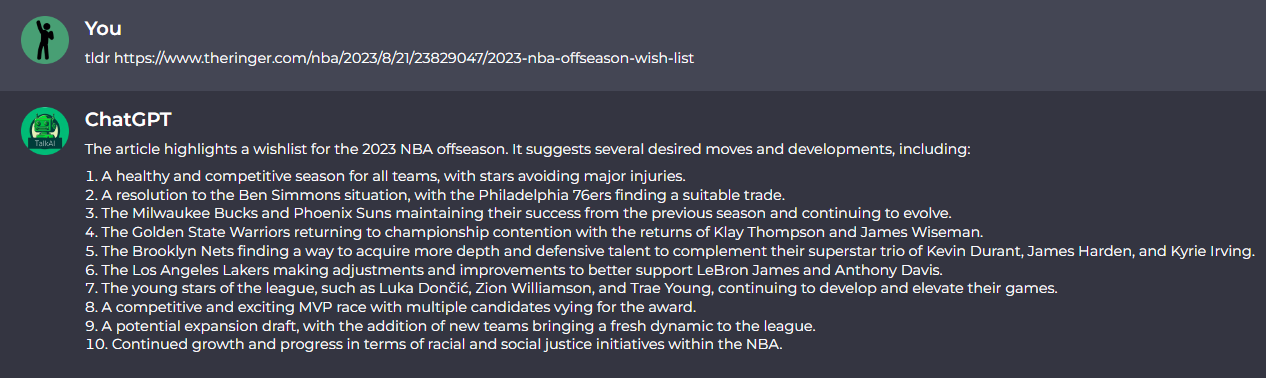
TLDR is commonly used to summarize lengthy articles
Choose an appropriate length limit
Decide on the desired length for your summary. ChatGPT has a maximum token limit (equal to 3,000 words), so you must set a reasonable length to receive a concise and coherent summary.
A length of around 100-250 words is usually a good starting point, but it depends on the article's complexity and your specific requirements.
Frame your questions carefully
While ChatGPT is powerful, the model has limitations. Craft your questions carefully, focusing on extracting pertinent information. Ask specific questions that guide the model towards identifying the central themes, major points, and supporting evidence. Avoid open-ended or ambiguous queries that may lead to irrelevant or lengthy responses.
Communicate with ChatGPT effectively
To summarize an article using ChatGPT, interact with the model through clear prompts, providing it with the necessary information. Start by introducing the purpose of summarization and specify your desired outcome.
For example, "Please summarize this article on renewable energy in 3-4 sentences" or “Give me the most important information in 5 bullet points.”
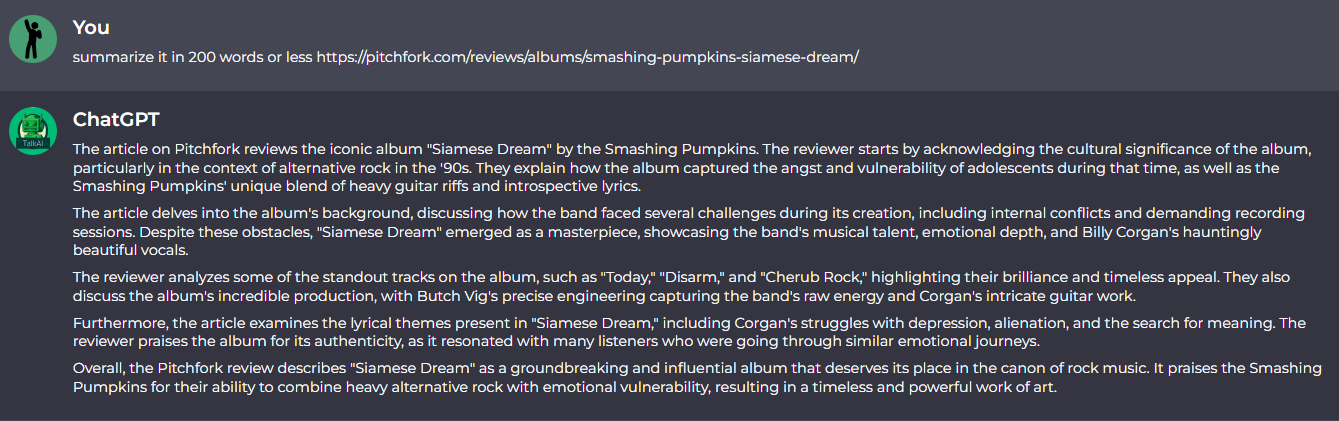
Article summary in 200 words or less
Iterative refinement
Summarization may not be perfect on the first attempt, especially with longer or more complex articles. Consider an iterative approach. Take the initial response from ChatGPT and review it. If necessary, ask follow-up questions or request more focused summaries of specific sections.
Tell ChatGPT what you specifically want to see in the summary. By refining the prompts and providing additional guidance, you can achieve a more accurate and concise summary.
Evaluate the summary
Once you've received a summary from ChatGPT, carefully read and assess its quality. Check if it covers all the crucial aspects of the original article and captures the central message. Pay attention to grammar, coherence, and relevance. ChatGPT tends to oversimplify things or even hallucinate sometimes, so fact-checking is essential. If the initial summary falls short, you can continue refining it through further interactions with the model.